

- Deploy with Git — Cube Cloud builds and deploys your project from a Git repository. Use this mode when you want commits to the production branch (or merges performed from the Cube Cloud UI) to automatically trigger a production build.
- Deploy with CLI — you push your project to Cube Cloud from your local
machine or CI/CD pipeline by running the
cubejs-cli deploycommand. The production branch is never built automatically; it only changes when somebody explicitly runscubejs-cli deploy.
Deploy with Git
Continuous deployment works by connecting a Git repository to a Cube Cloud deployment and keeping the two in sync. First, go to the Build & Deploy tab on the Settings screen and select Deploy with Git under Deploy with. From the same screen you can pick the production branch, connect a Git repository, and copy the commands that set up Cube Cloud as a Git remote: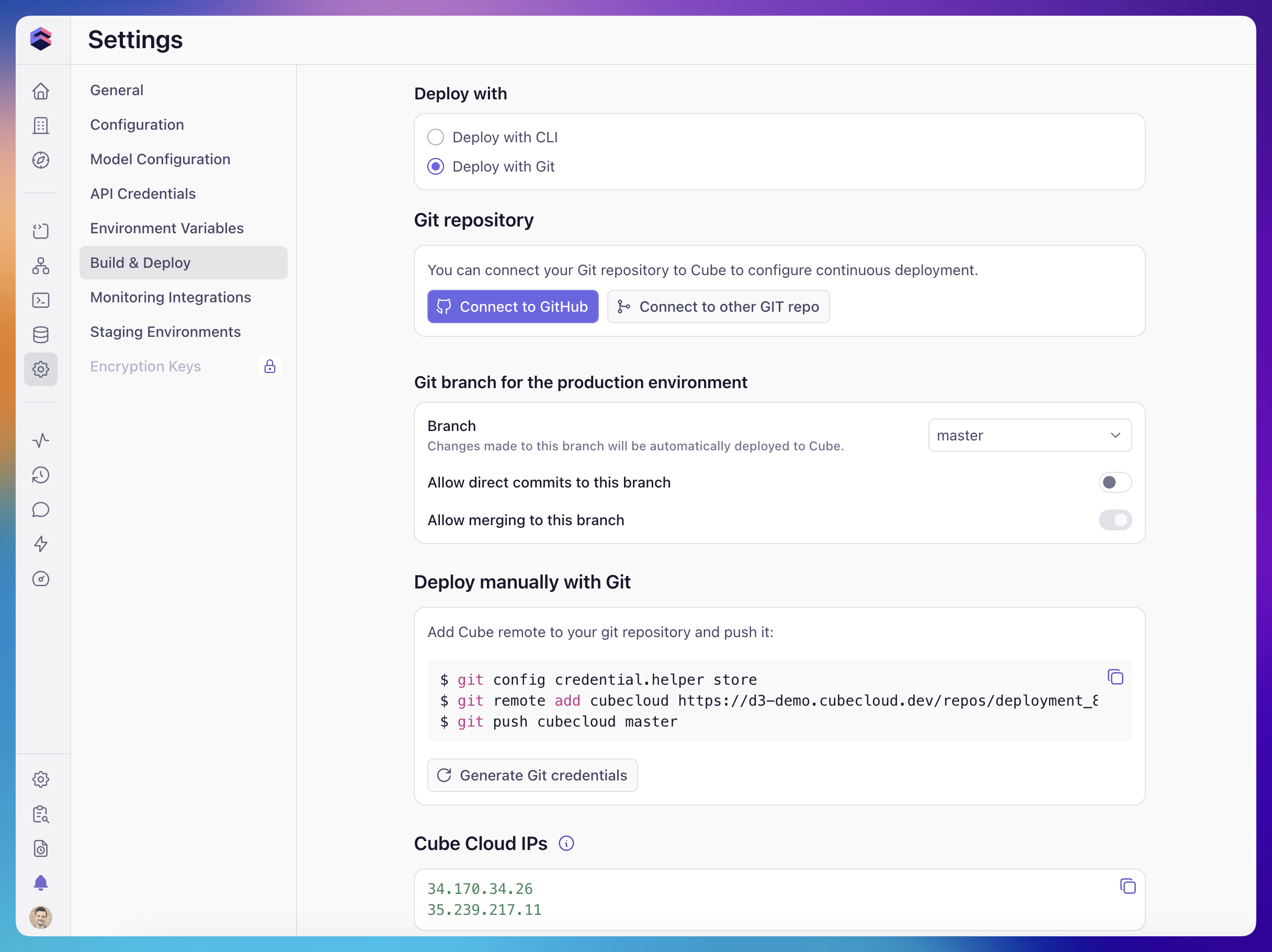
Deploy with GitHub
You can connect a GitHub repository to your deployment by clicking the Connect to GitHub button on the Build & Deploy tab of the Settings screen and selecting your repository. This works with both the Deploy with Git and Deploy with CLI deploy modes. What happens after connecting depends on the deploy mode:- In Deploy with Git mode, Cube Cloud will automatically deploy from the
specified production branch (
masterby default) on every push, and also sync non-production branches into their staging environments. - In Deploy with CLI mode, only non-production branches are auto-synced into their staging environments. See Connecting GitHub on a CLI deployment for details.
Deploy with CLI
When a deployment is configured to deploy with CLI, production builds are only triggered when you (or your CI/CD pipeline) push the project to Cube Cloud by running: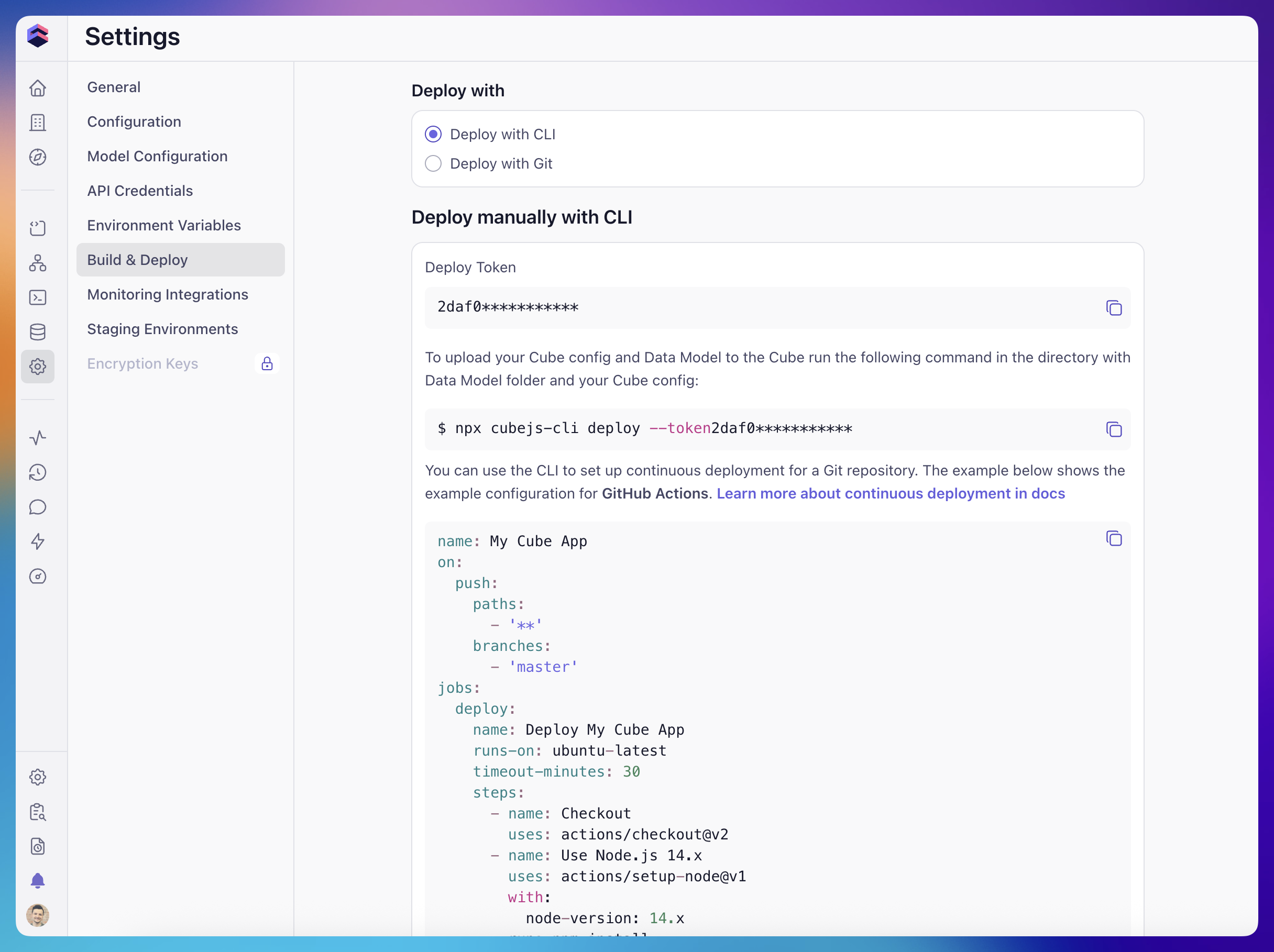
Cube Cloud still maintains an internal Git repository for the deployment so
that features such as development mode and branching can work.
This internal repository is overwritten on every successful CLI deploy — only
the contents of your most recent
cubejs-cli deploy invocation are used to
build and run production.Connecting GitHub on a CLI deployment
You can still connect a GitHub repository to a CLI deployment. When you do:- Pushes to non-production branches (typically feature branches) are picked up by the GitHub webhook and automatically synced into Cube Cloud, so the corresponding staging environments reflect the latest commits without any manual step.
- Pushes to the production branch are intentionally not
auto-deployed in CLI mode. The production branch only changes when
somebody runs
cubejs-cli deployagainst the deployment.
Development mode with CLI deployments
Development mode is fully available on CLI deployments: developers can enter dev mode, switch branches, save changes, commit them, and even merge branches into the production branch from the Cube Cloud UI. However, in CLI mode, none of these actions trigger a production build or redeploy. Specifically:- Saving or committing changes in dev mode only updates the per-developer development environment and the corresponding branch in the internal repository. Production is not affected.
- Merging a branch into the production branch from the Cube Cloud UI updates the production branch in the internal repository but does not rebuild or redeploy the production environment.
- Any changes made through the UI are overwritten on the next
cubejs-cli deploy, which uploads the contents of your local project to Cube Cloud and triggers a production build.
cubejs-cli deploy against the deployment.
If you want changes made in the Cube Cloud UI to flow to production
automatically, switch the deployment to Deploy with Git.